
CHAPTER 1: WHY STAYING CONNECTED MATTERS
One crisp February morning in Texas, Alex, a business consultant, woke up expecting a regular workday. Instead, his phone flashed a single, unsettling message: No Service. He tried Wi-Fi. Nothing. No calls, no emails, no updates. The winter storm that swept across the state had severed every line of communication he counted on.
Alex’s well-ordered day dissolved into uncertainty. He couldn’t reach his parents in Austin or his team in Dallas. As the hours crawled by, he realized how quickly modern life unravels when the simplest connection is gone.
Not every disruption comes from a massive storm. Just last year, Mia, an account manager in Seattle, was working from home when a tree fell on a power line. For six hours, she had no internet, no phone, and no way to notify her clients that she hadn’t disappeared. While not a crisis, it was an inconvenient failure of the technology she relied on and underscored how much smoother life feels when you’ve thought ahead about how to keep communication flowing.
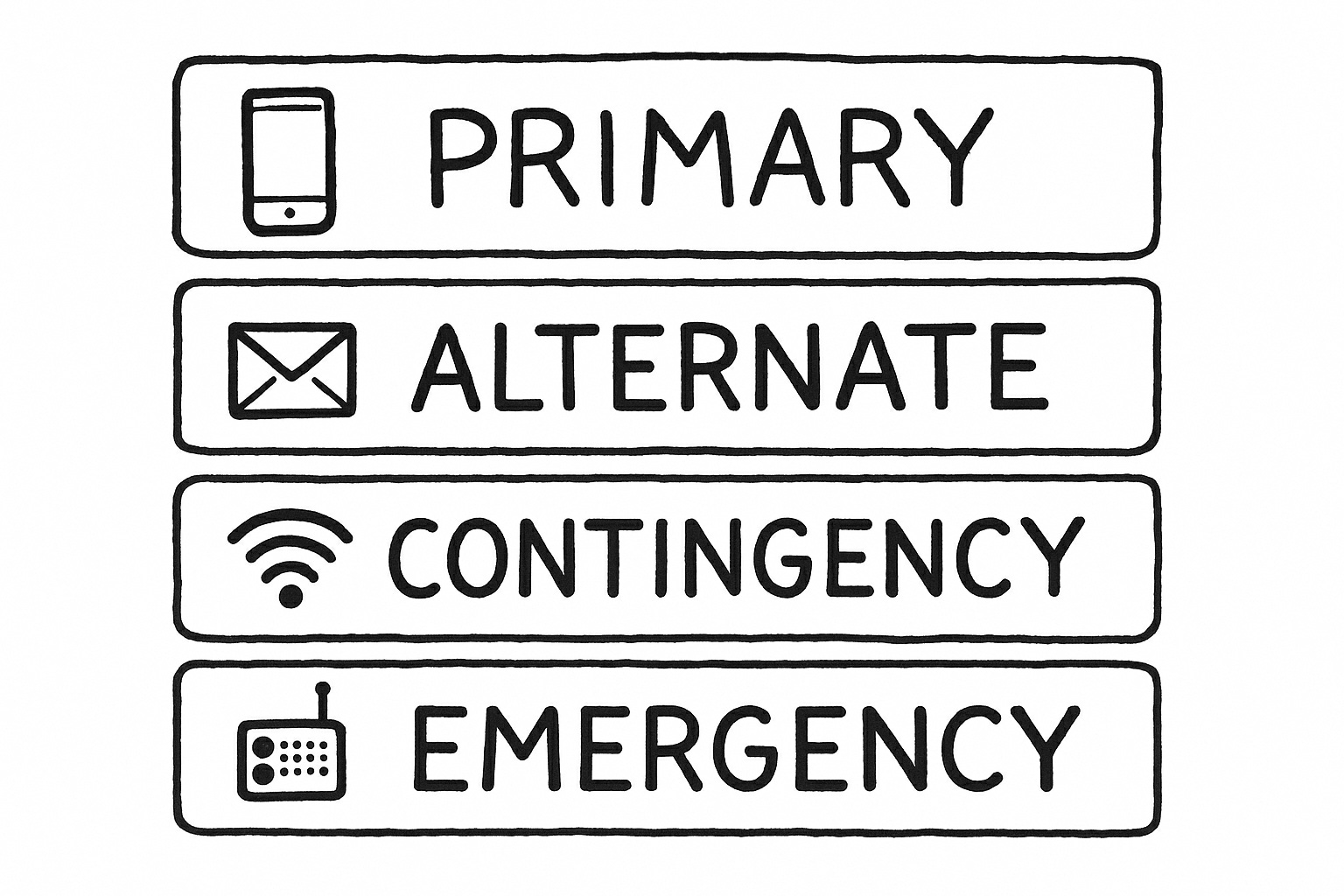
Making Sense Of The PACE Plan
You’ll see the term PACE plan appear often in these pages. Though it sounds technical, it’s simply an organized way to think about your options:
- Primary: Your first choice - usually a text or a call.
- Alternate: The next best method if the first fails, like an email.
- Contingency: A third route may be a messaging app that uses Wi-Fi.
- Emergency: The fallback when everything else collapses, such as meeting at a set location or using a radio.
Sarah lives on the Florida coast and is accustomed to hurricanes and tropical storms knocking out power. As Hurricane Ian barreled toward her town, she and her family didn’t scramble to figure out what to do. Their PACE plan was ready. When mobile signals dropped, they moved calmly from texts to Wi-Fi messaging using their mesh network. When power failed, they gathered at the community center they’d agreed upon weeks earlier. Having a plan made dealing with the storm much easier.
A Story Worth Sharing
A few years ago, a standoff between Apple and the FBI highlighted the delicate balance between privacy and access. Investigators asked Apple to build special software that would let them unlock a suspect’s iPhone. Apple refused, explaining that creating this tool would effectively produce a master key that could be stolen, copied, or abused.
Fast forward to 2025 and iPhone users are concerned about the Metadata tracking system that tracks every image a user views or clicks on. Metadata tracking stirs controversy because it collects context about your activity not just the content itself. When you take a photo, that image may include the where, when, how, and even who behind it, all automatically logged in the background.
Apple has tried to minimize risk by storing metadata locally, allowing users to toggle off location services for the camera, and adding a “Remove Location” option when sharing photos. But the issue remains thorny because metadata is baked into almost every modern image. This dilemma isn’t theoretical—it touches every message, file, and photo you share.